Guide / Chapters and episodes
Chapters, episodes and volumes
Give an entry an ordered tree of parts: seasons with episodes, volumes with chapters.
A part is one chapter, episode or volume of an entry. Parts have a kind (“chapters”, “episodes”, whatever you call them) and can be nested: a season holds episodes, a volume holds chapters, a book holds volumes. Each part can carry text, pictures, video, an outside address, or just be a heading for the ones below.
Show parts on the entry page
- Customize layout on the entry page, then + Parts in the palette.
- In the block’s settings type the kind, such as chapters or episodes, and a heading.
- Save the layout. The block appears on the entry page, empty.
Manage the parts
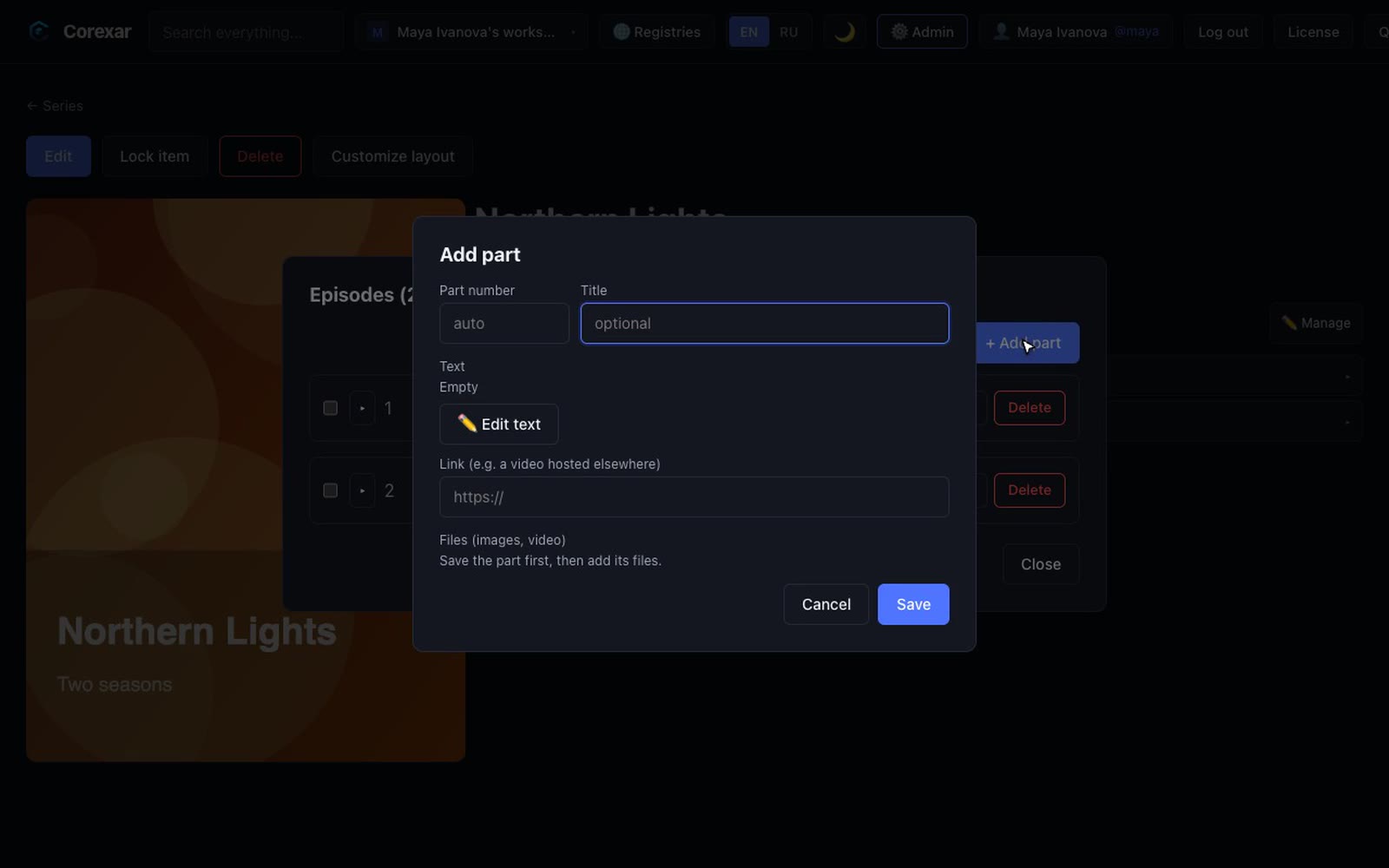
Press ✏️ Manage on the block to open the manager: the whole tree, with the size of each text, and buttons to add, edit and delete.
 Hover to play
- Add a part at the top level, or under an existing one. The title is optional: an unnamed part shows as “Part 1”, “Part 2”.
- Numbers are unique among siblings and set the order. Change a number, or drag a row before, after or into another one; dropping into the root area makes it top-level.
- Move a part to another parent with the move button. Tick several rows to move or delete them together.
- In a part you can write text (a full editor), attach pictures or video, or give an outside address (for a video hosted elsewhere).
- Deleting a part deletes everything under it, and the files it owned.
Note. Adding and editing parts needs the permission to edit entries. Reading them is open to whoever may see the entry.